




Service Records Overview
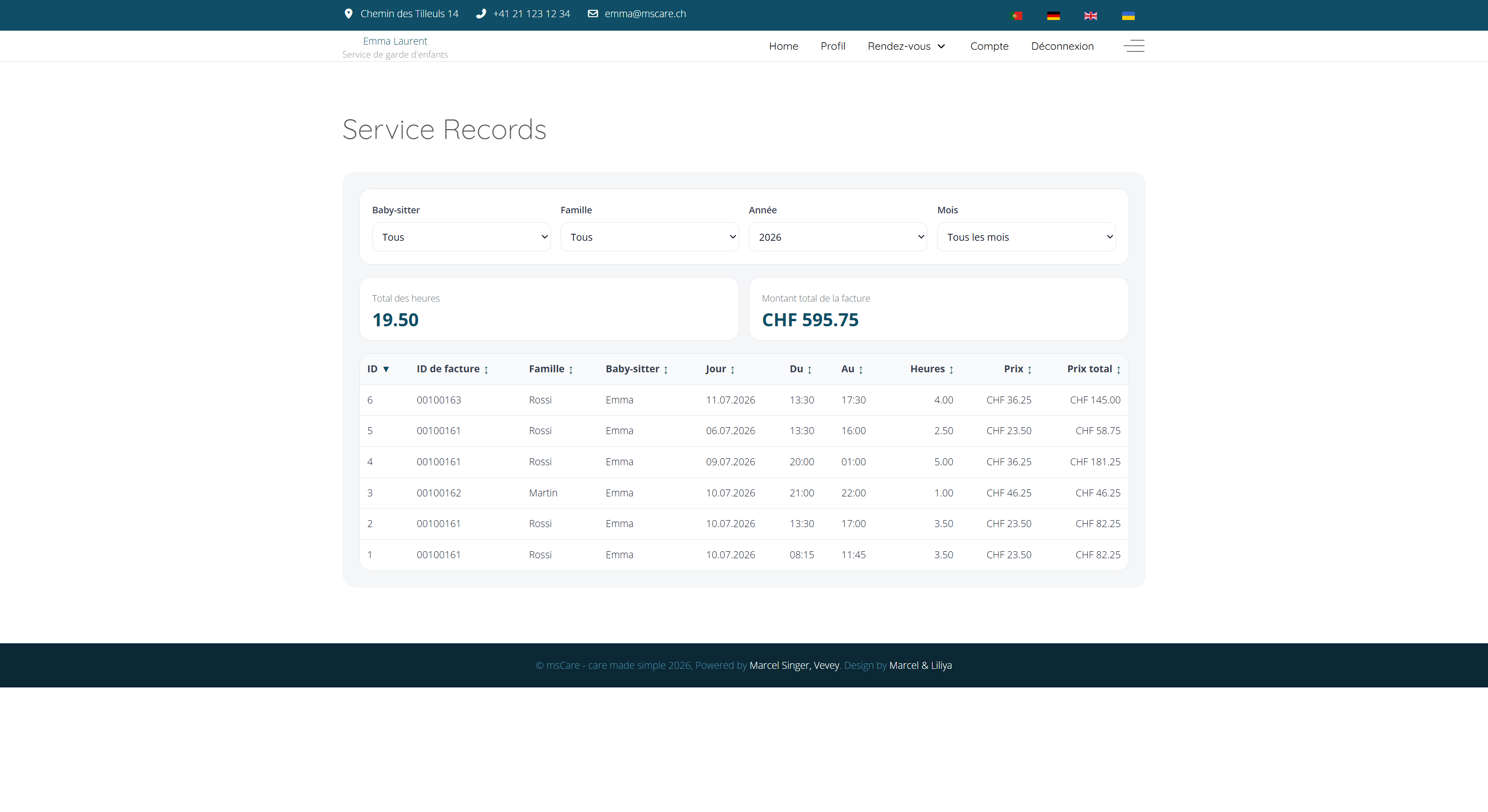
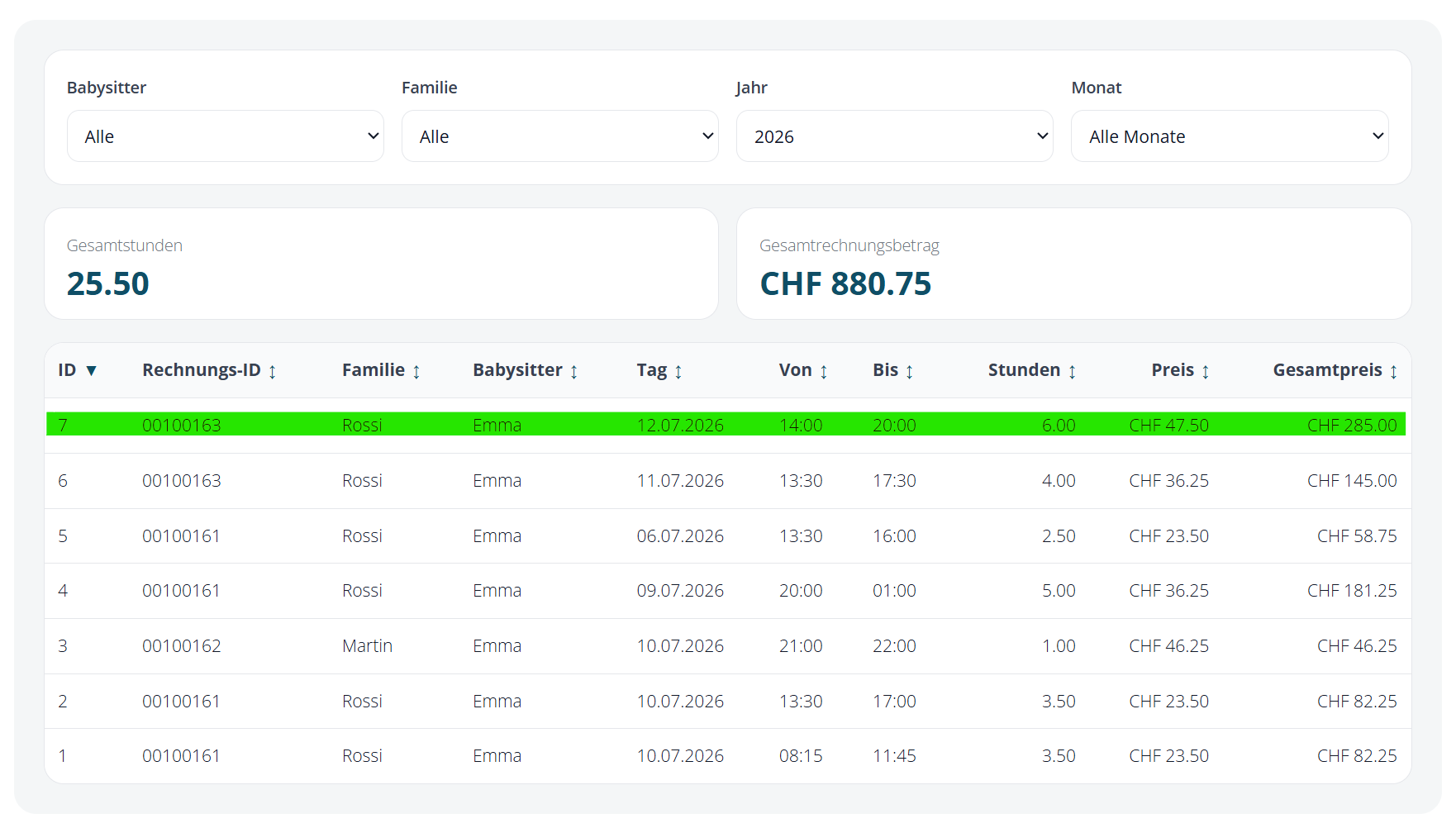
Review recorded services in one clear overview. The results can be filtered by babysitter, family, year and month, making it easy to analyse a specific customer or billing period.
Summary cards immediately show the total number of hours and the total invoiced amount. The detailed table provides a complete overview of the services included in the selected period.
Review Every Recorded Service
Examine every recorded assignment in detail. Each row includes the invoice number, family, babysitter, service date, start and end time, number of hours, hourly rate and line total.
The columns can be sorted to locate specific entries quickly. This detailed view makes it easier to identify missing or incorrect information and verify the recorded services before or after invoicing.
Transparent Invoice Details
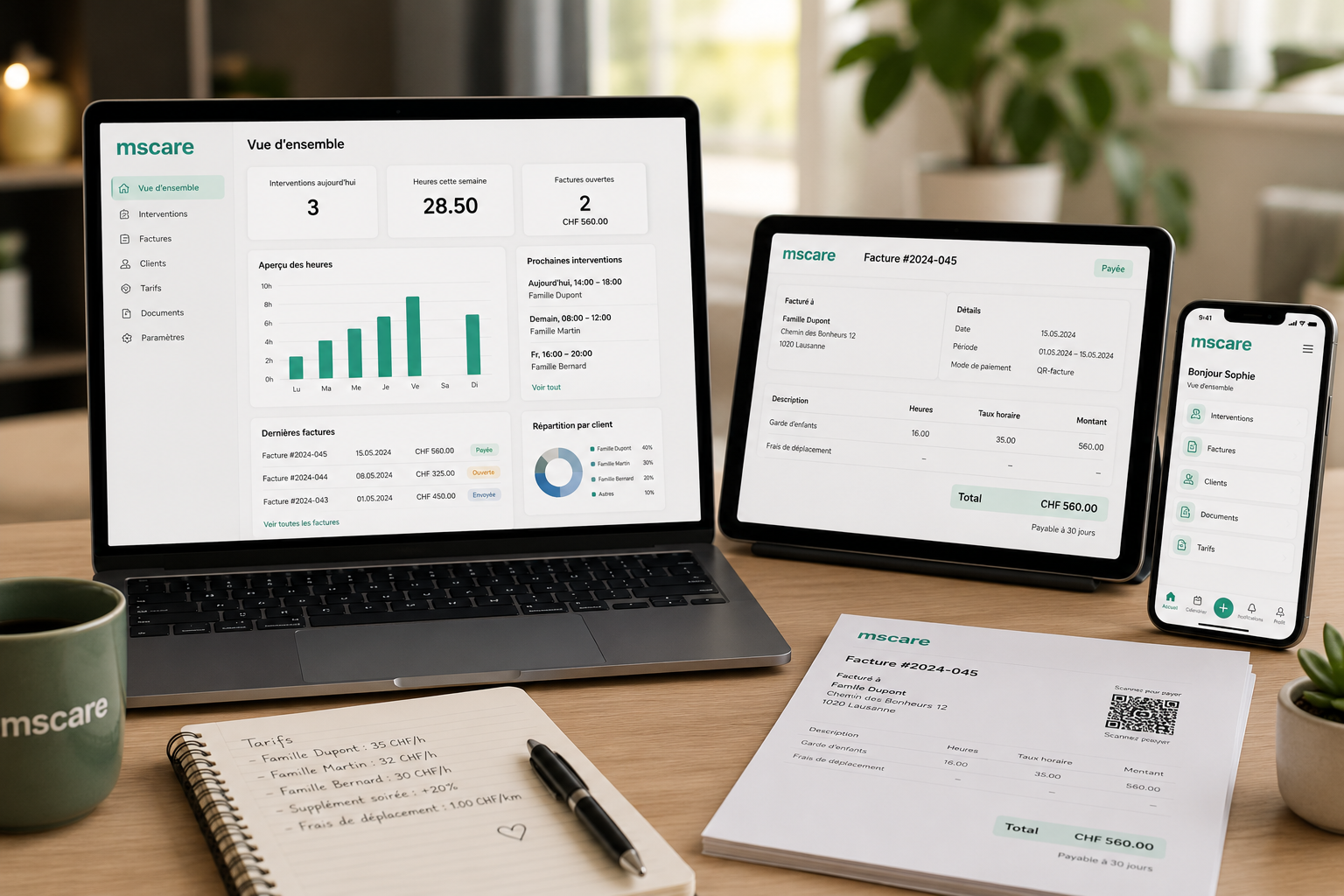
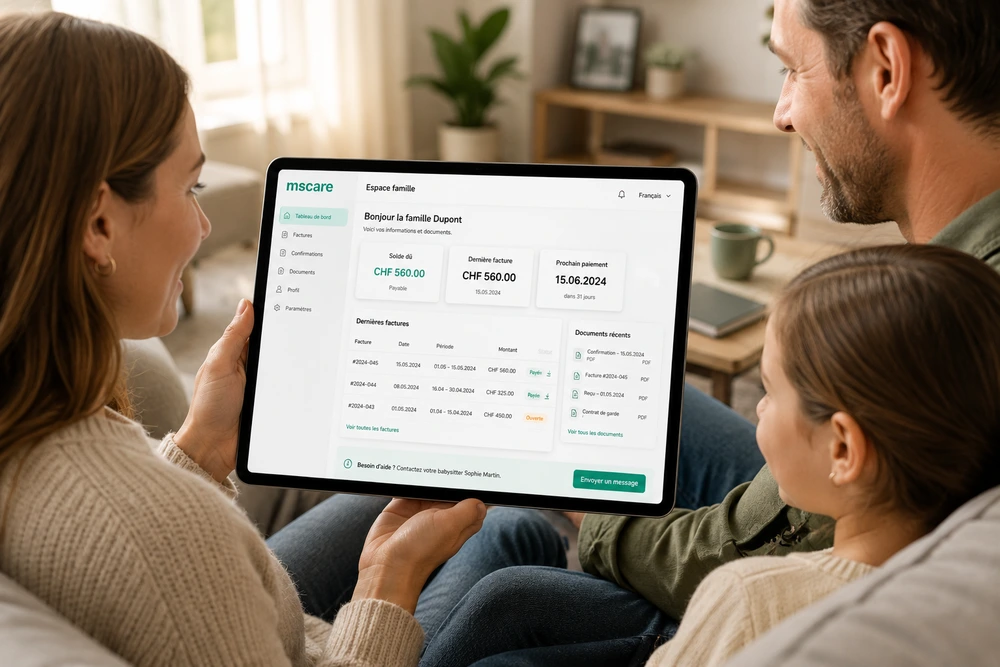
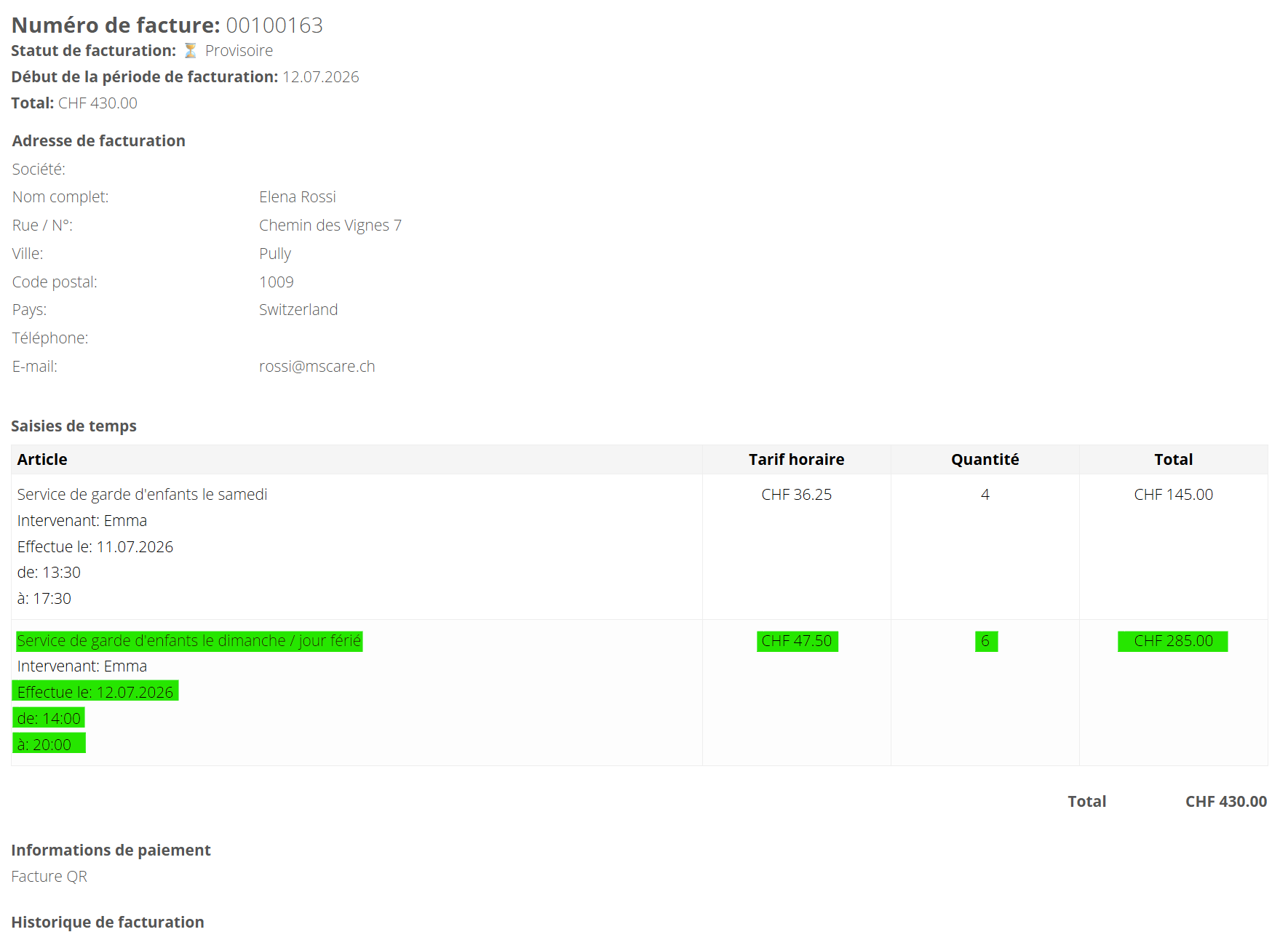
Open an invoice to review its billing status, billing period, total amount and the family's billing information.
Every invoiced service is itemised with the service description, babysitter, date, working times, hourly rate, number of hours and total charge. This provides a transparent and traceable explanation of how the final invoice amount was calculated.