




Record Working Time
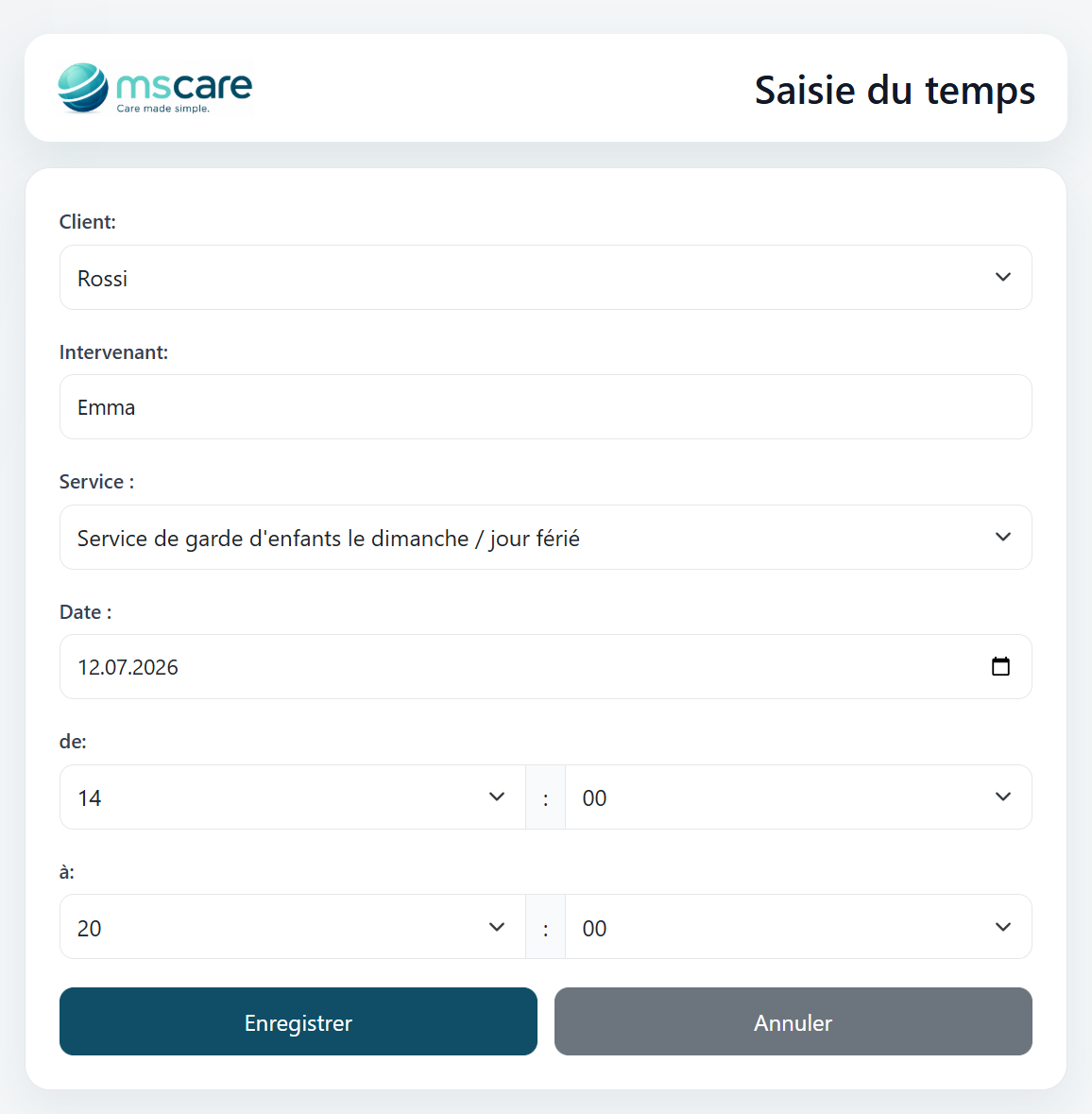
Record a completed babysitting assignment in just a few steps. Select the family and the applicable service, enter the date and specify the exact start and end times.
The recorded duration is automatically available for service tracking, timesheet reviews and invoicing. This reduces manual calculations and helps ensure that every worked hour is documented correctly.
Manage Appointment Requests
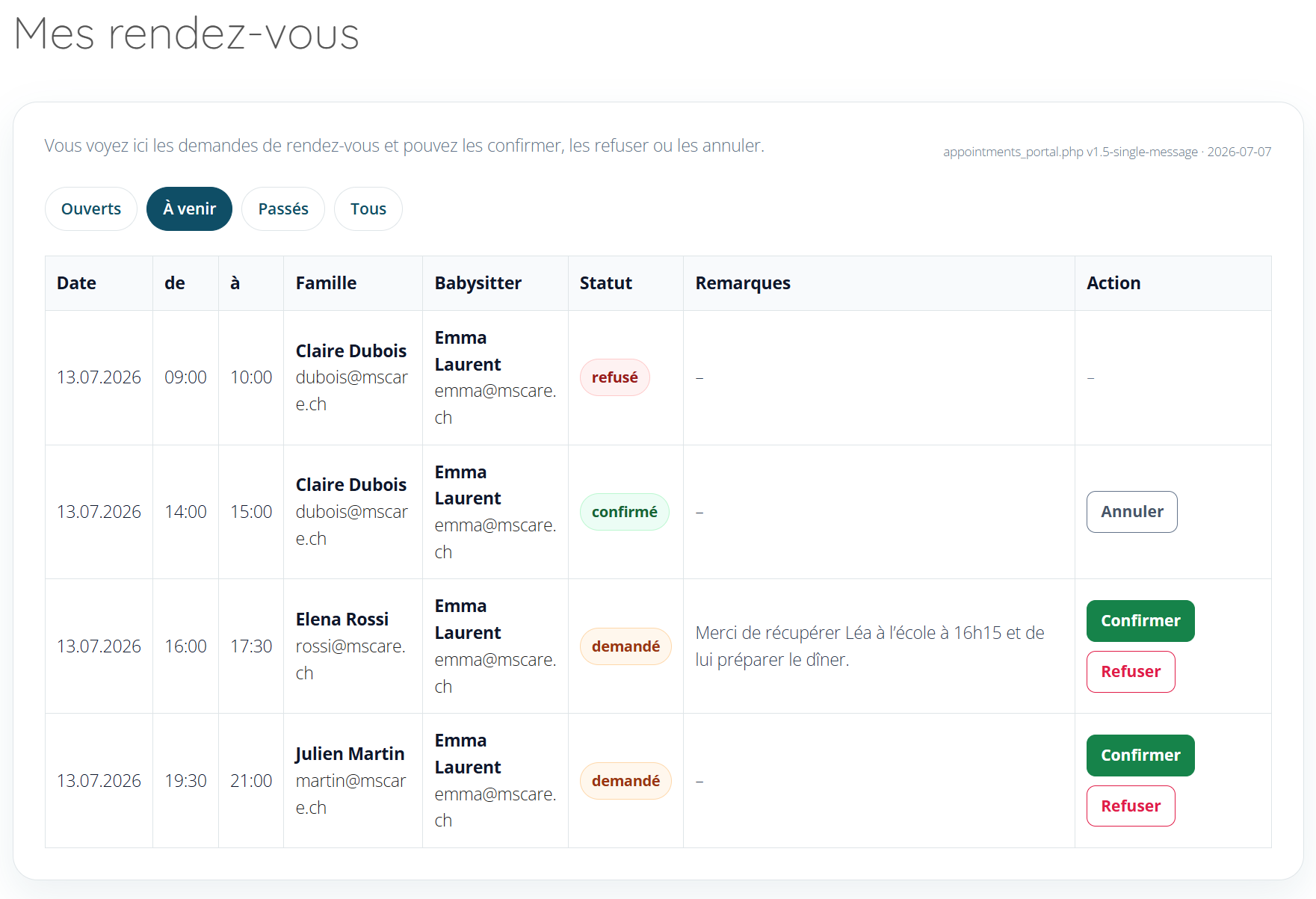
Review all appointment requests from one organised dashboard. Filters provide quick access to open, upcoming, previous or all appointments.
Each request displays the date, time, family, current status and any remarks provided by the family. Pending requests can be confirmed or rejected directly, while confirmed appointments can be cancelled when necessary.
Manage Daily Availability
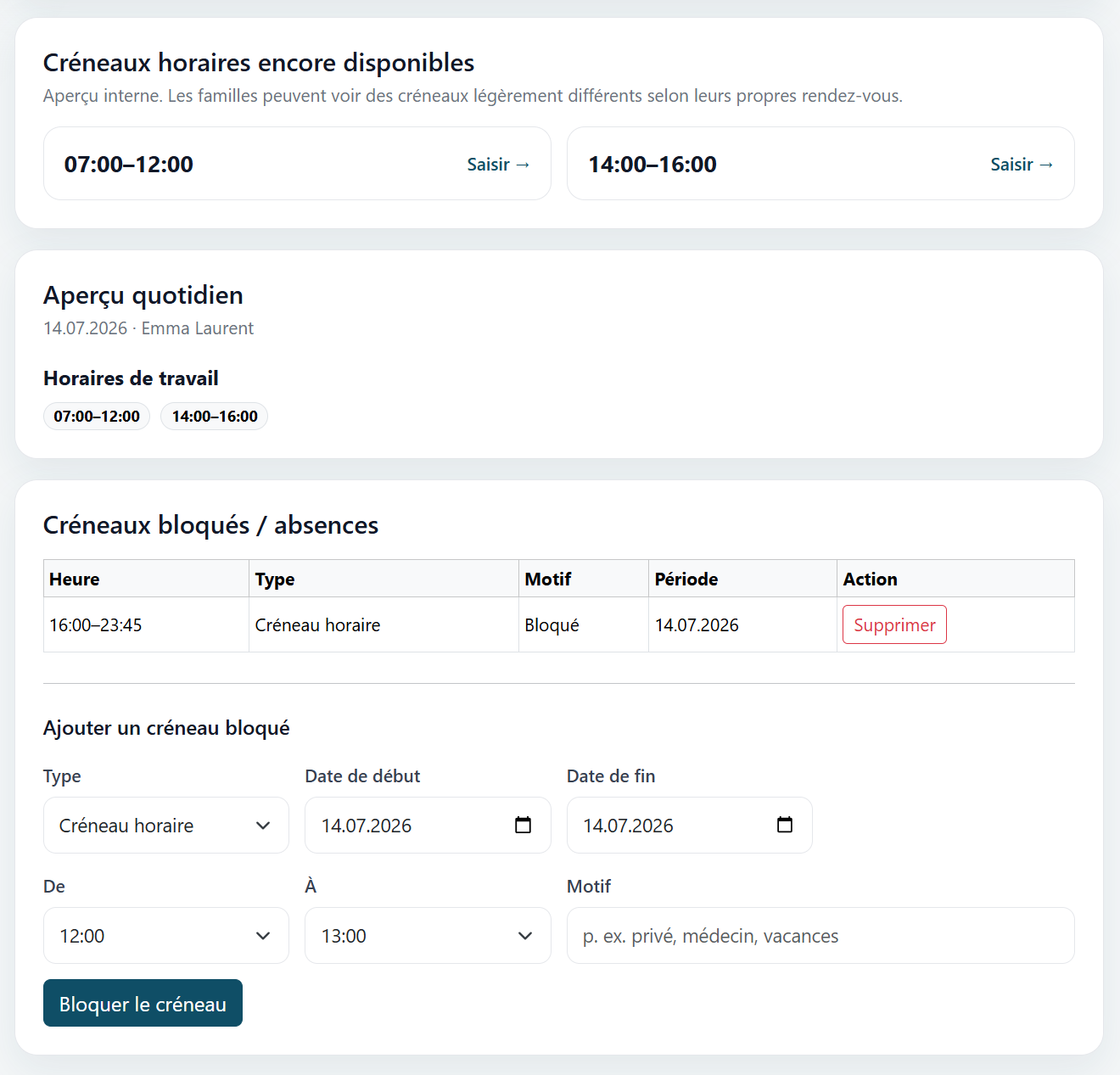
See the remaining bookable time slots for a selected day together with the planned working hours and any existing blocked periods.
Additional absences can be entered for personal appointments, holidays or other commitments. Families are therefore only offered time periods during which the babysitter is genuinely available.
Plan Weekly Availability
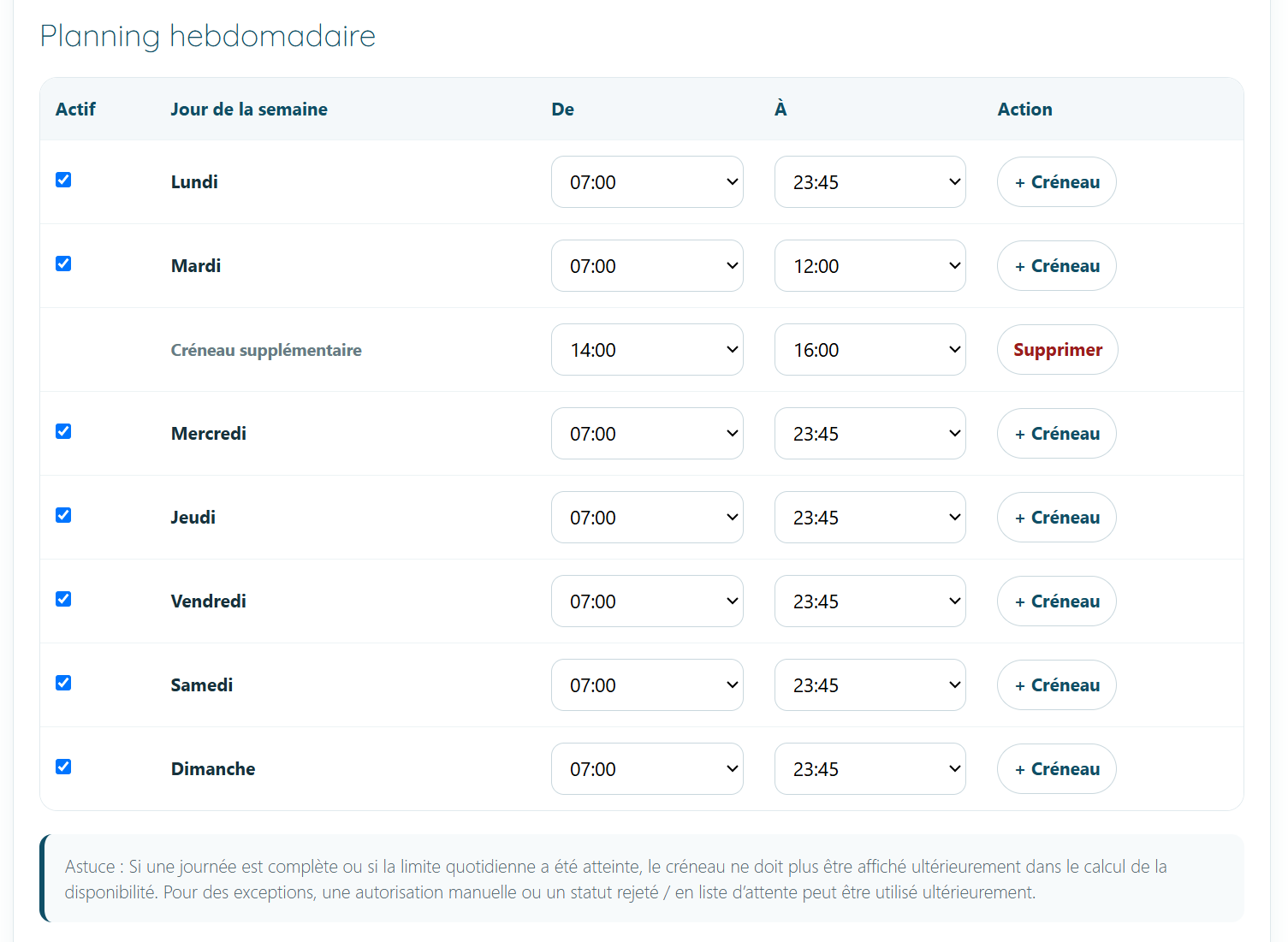
Define the regular working schedule by activating the relevant weekdays and selecting the available start and end times.
Additional time periods can be added for split schedules, such as separate morning and afternoon availability. This gives families an accurate view of the babysitter's recurring working hours.
Define Booking Rules
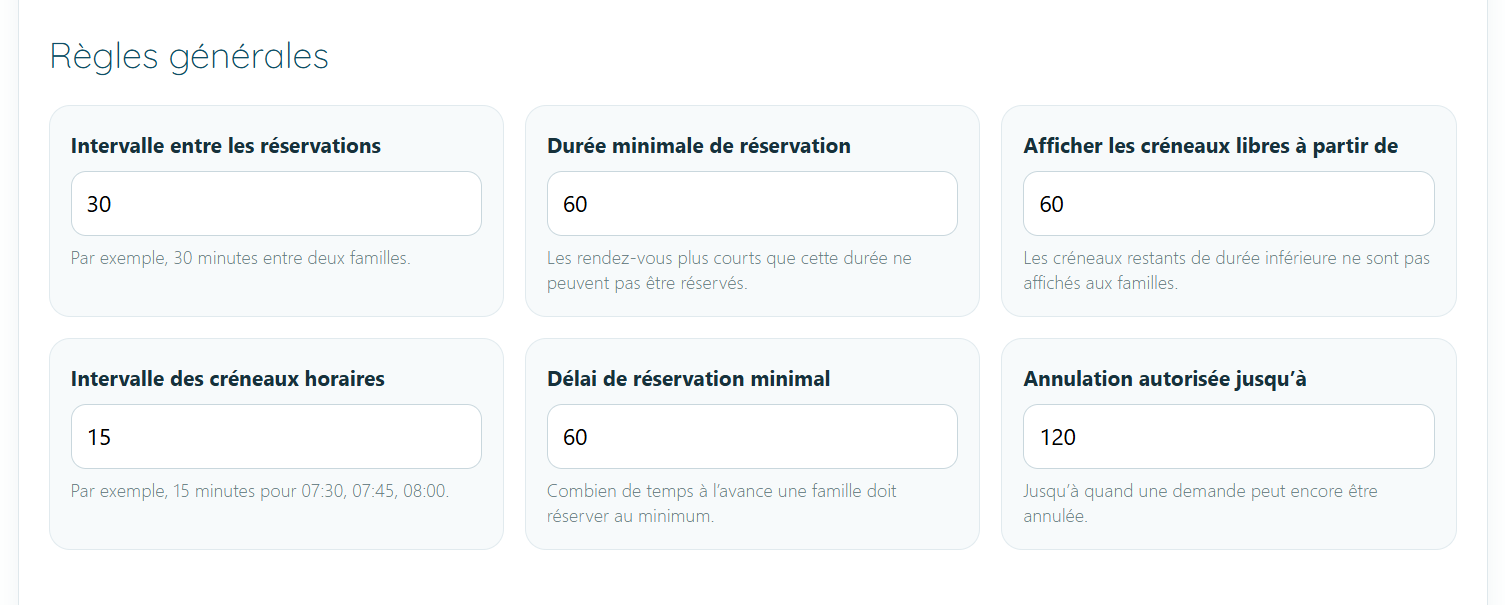
Control how families can request appointments by defining the minimum booking duration, available time increments, advance notice and cancellation deadline.
The interval between appointments and the minimum length of displayed time slots can also be configured. These rules protect the babysitter's schedule and provide families with clear and consistent booking conditions.

Connect Your Calendar
Use the private calendar link to subscribe to the mscare booking calendar in Apple Calendar, Outlook or Google Calendar.
Appointments can then be viewed alongside personal and professional events without entering them manually. As the link provides access to the private booking calendar, it should never be shared publicly.