




Choose an Available Time
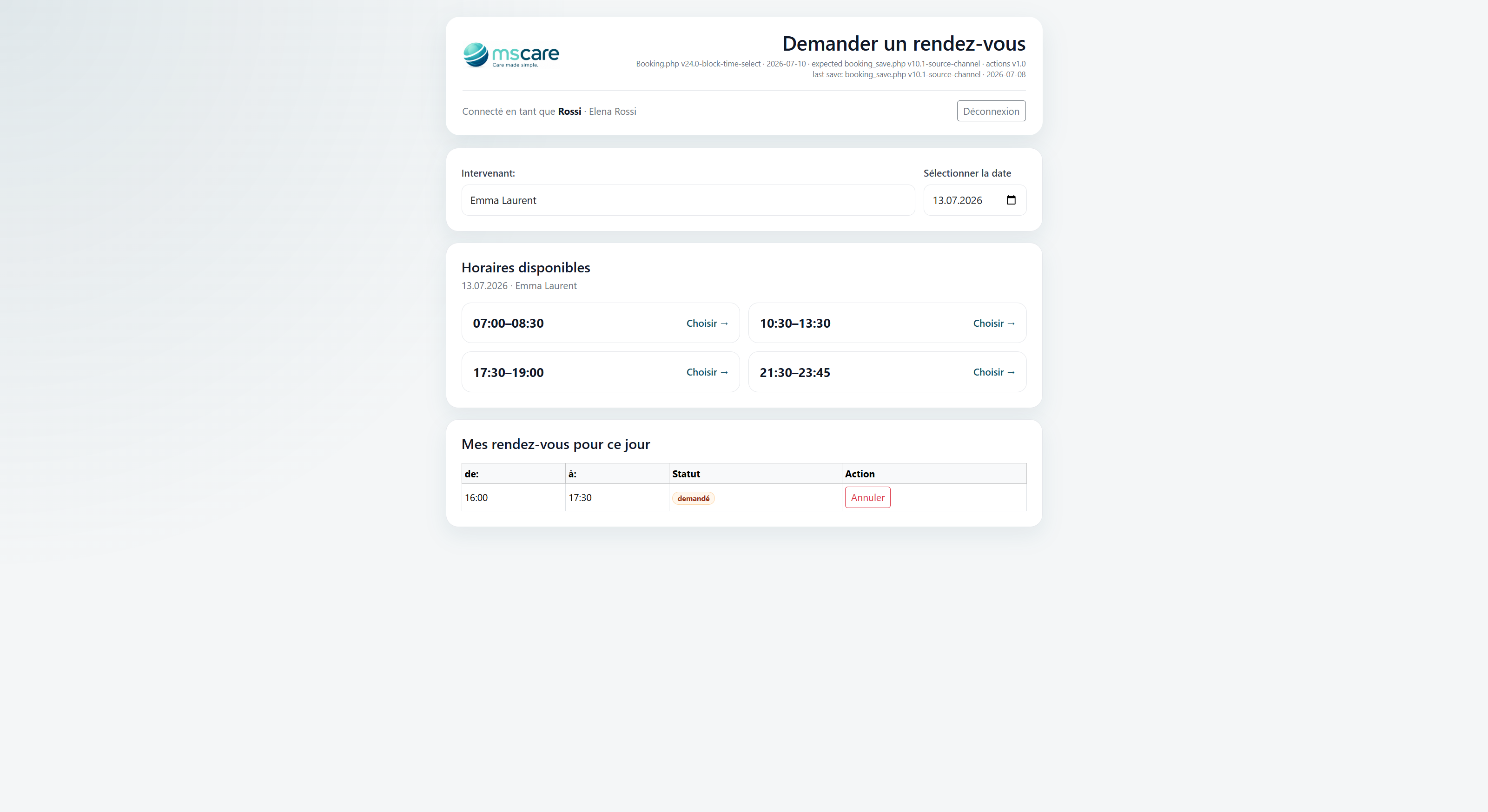
Select a date and immediately see the remaining appointment times offered by the babysitter. Only bookable periods are displayed, so families do not need to exchange several messages to find a suitable time.
Existing appointments, unavailable periods and the babysitter's booking rules are automatically taken into account.
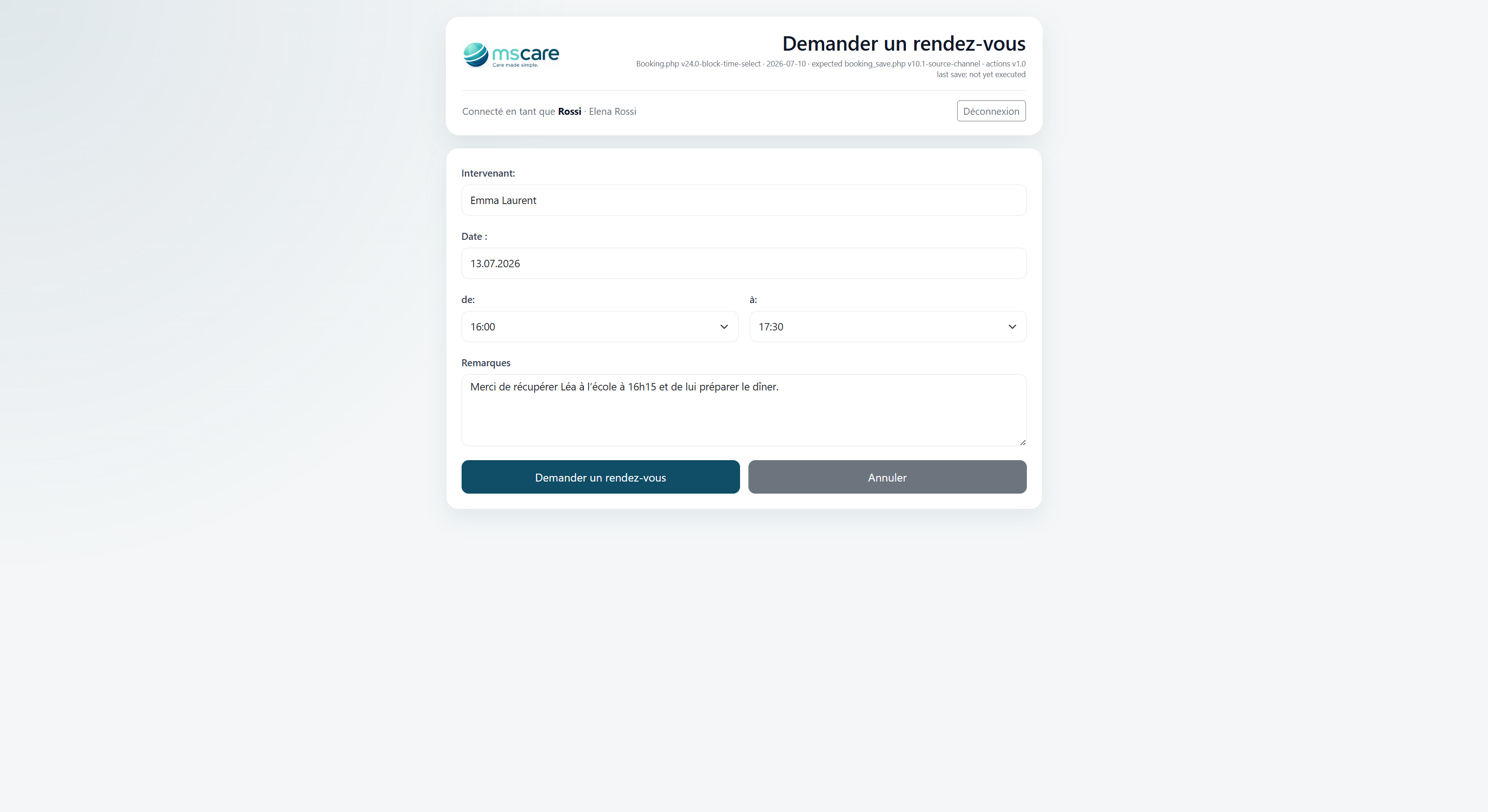
Submit an Appointment Request
After choosing an available period, the family can select the exact start and end times and add any useful instructions for the babysitter.
Information such as school pick-up arrangements, meal preparation or other important details is sent together with the appointment request.
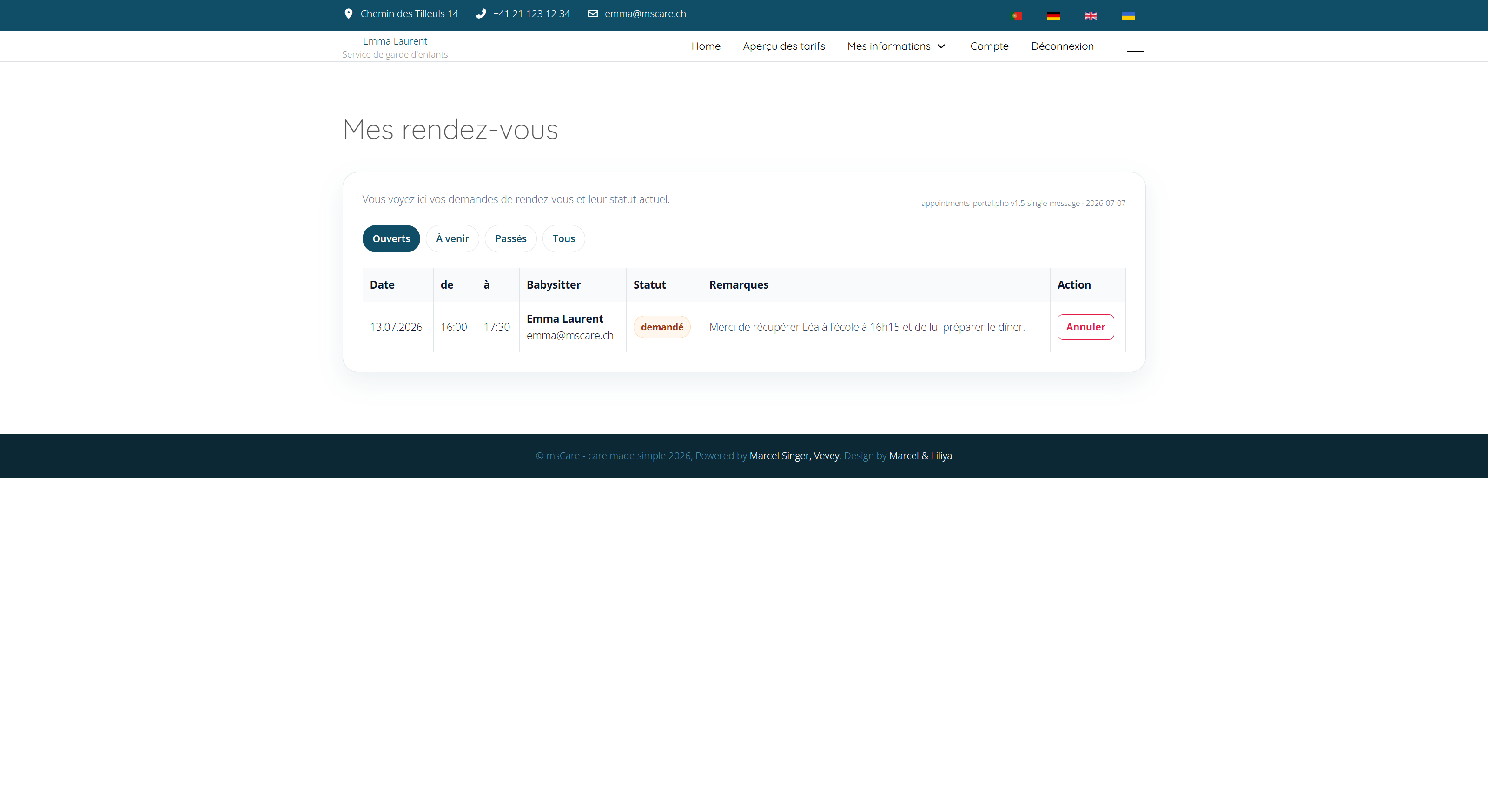
Track Your Appointments
Review open, upcoming and previous appointment requests from one central page. Each entry shows the date, time, babysitter, current status and the remarks submitted with the request.
Families can immediately see whether an appointment is pending, confirmed, rejected or cancelled and can cancel an eligible request directly from the portal.
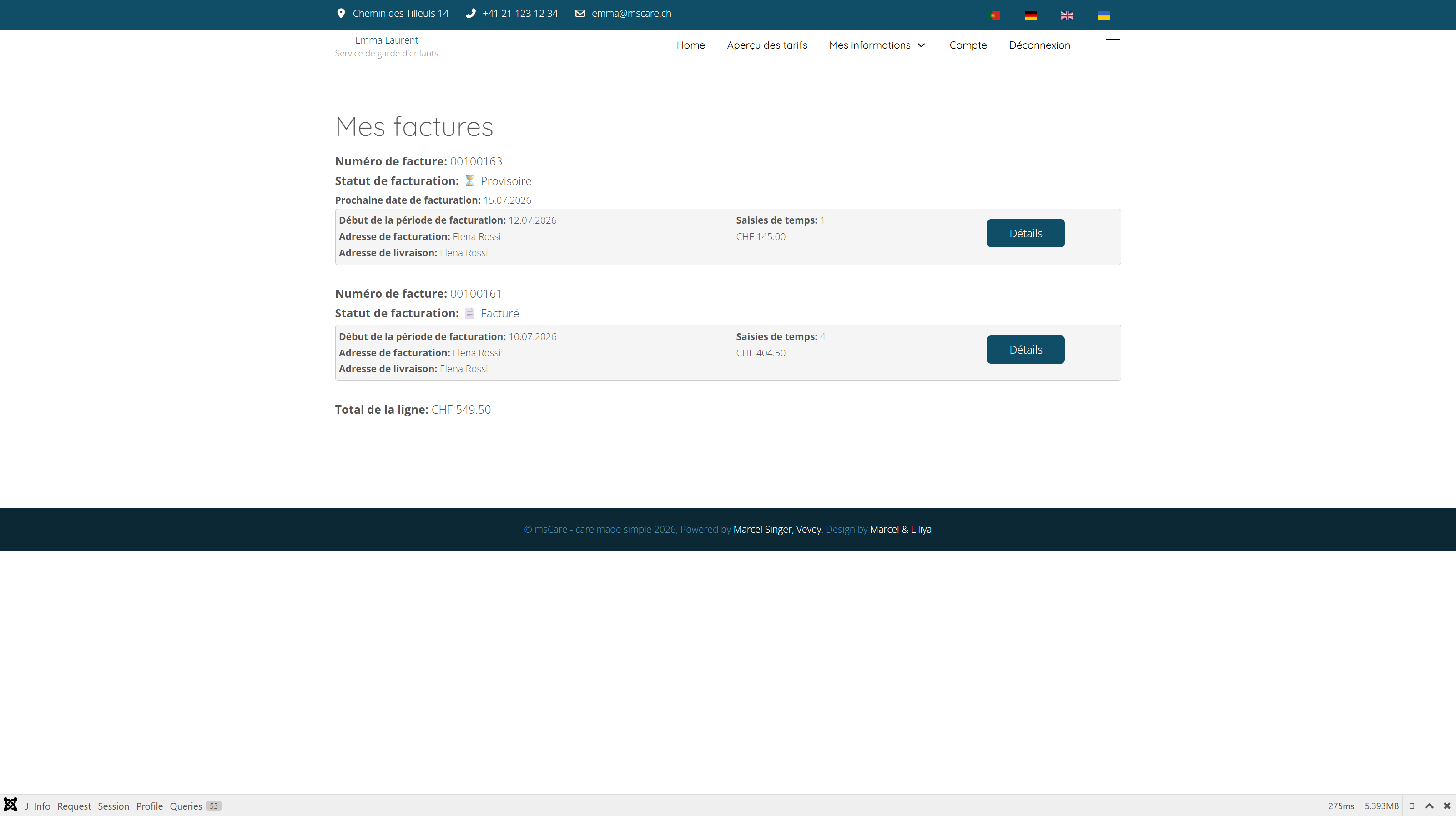
View All Invoices
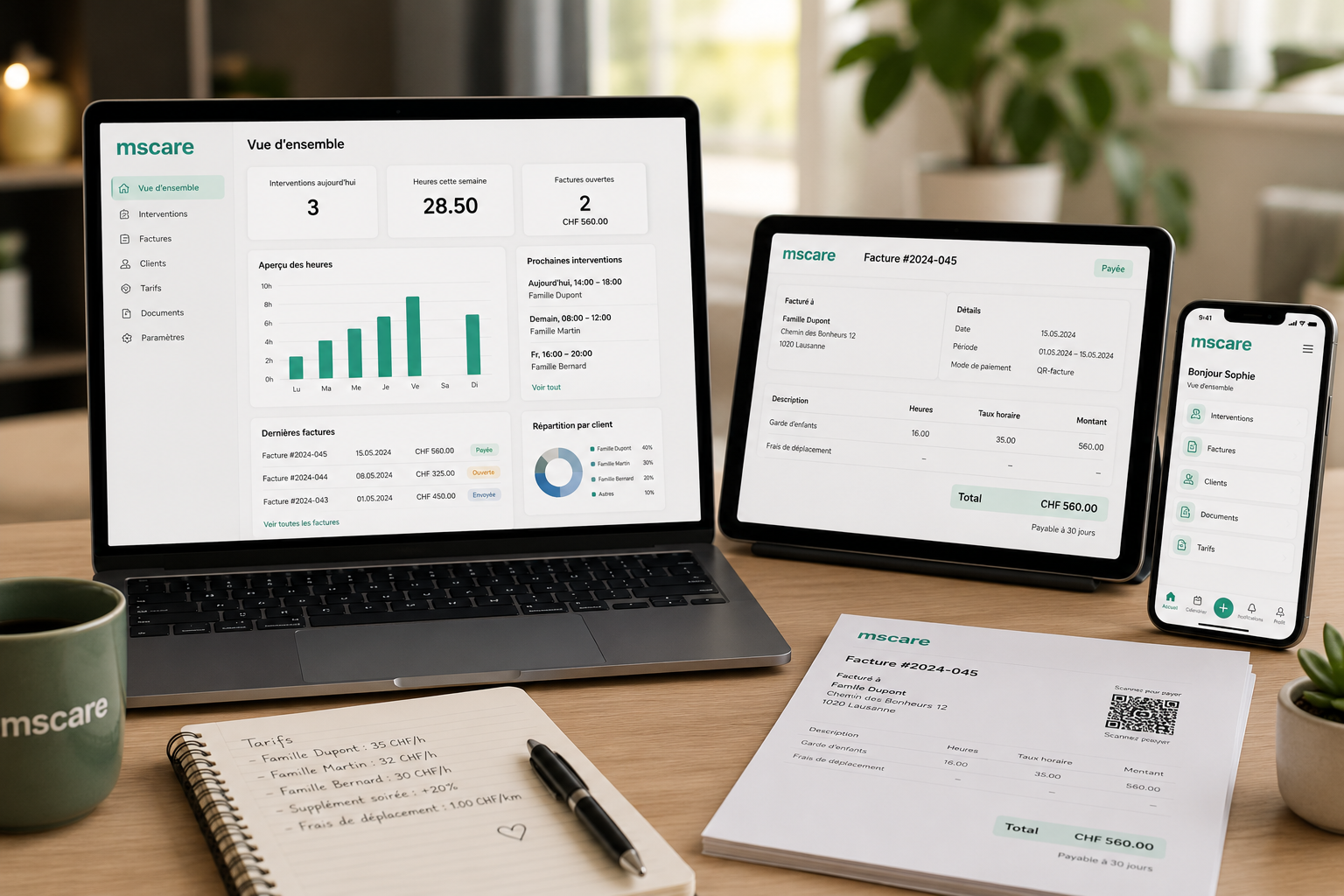
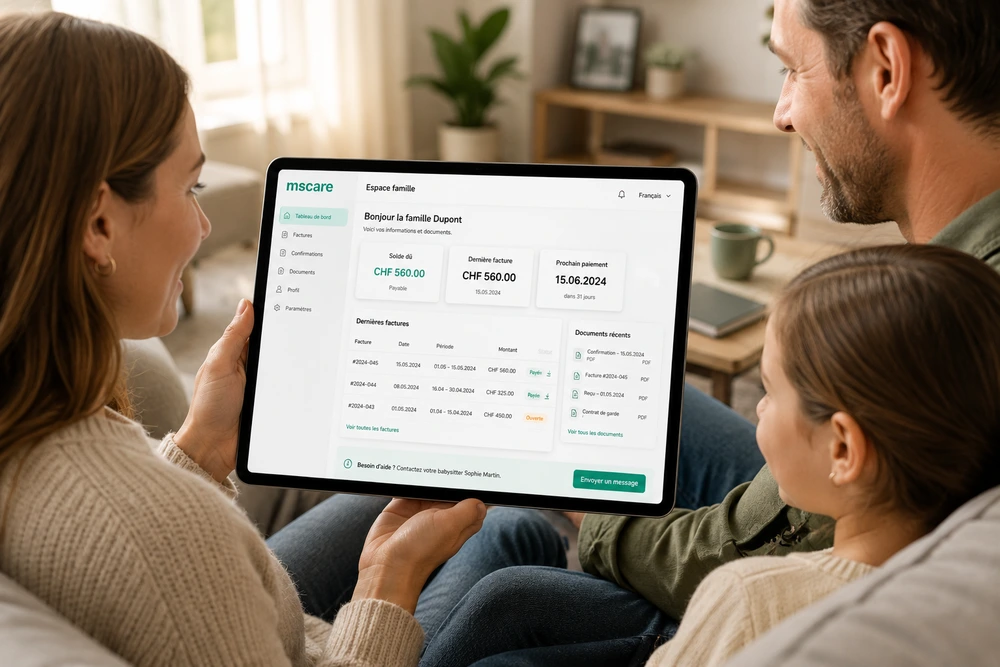
Access provisional and issued invoices from a clear overview. Each invoice displays its number, billing status, billing period, number of recorded services and current amount.
Families can distinguish between services that are still being collected and invoices that have already been finalised.
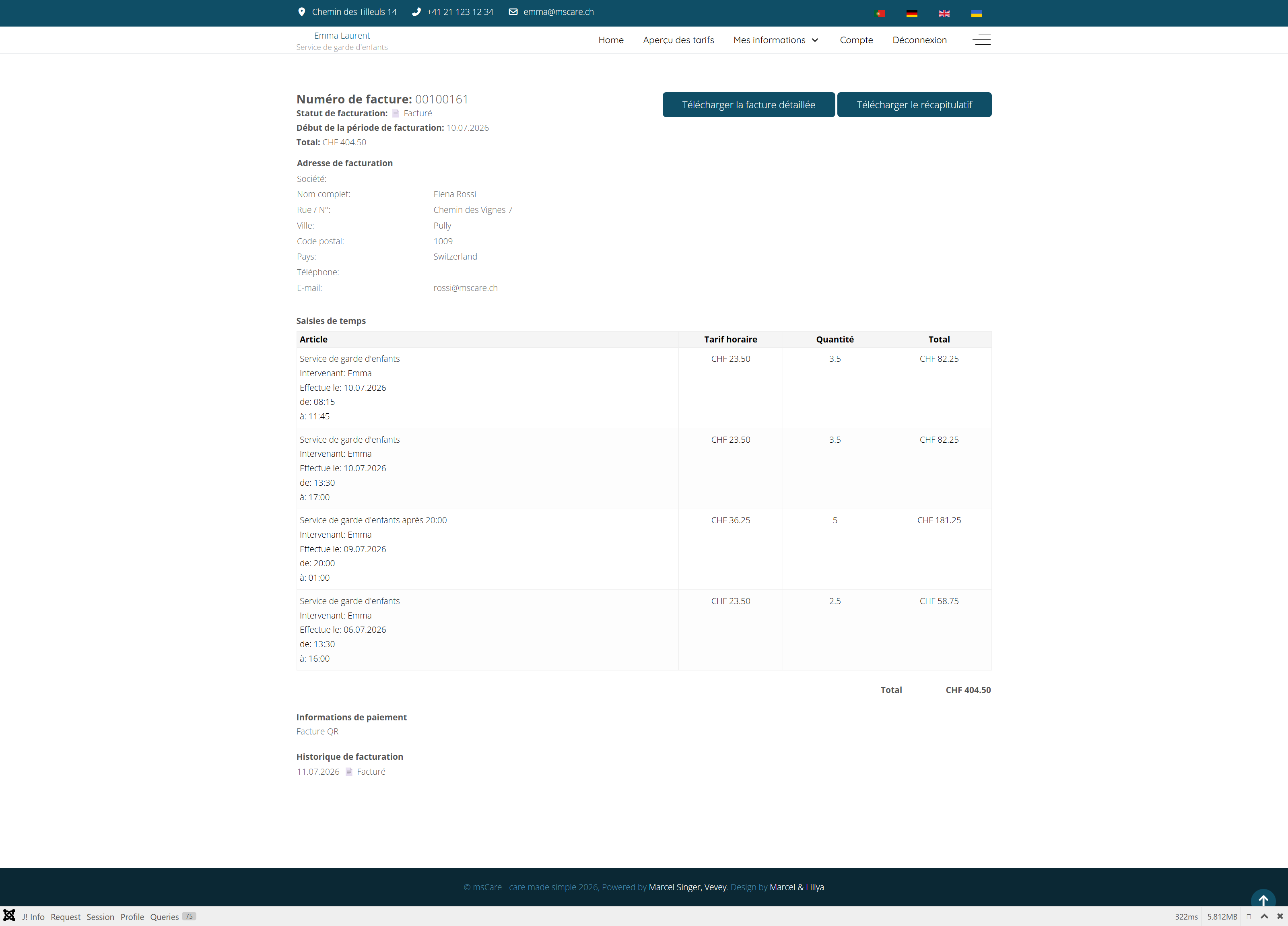
Review Invoice Details
Open an invoice to review the billing period, billing address and every service included in the total amount. Each entry shows the service date, babysitter, working times, hourly rate, duration and line total.
The detailed invoice and the concise invoice summary can be downloaded directly as PDF documents.
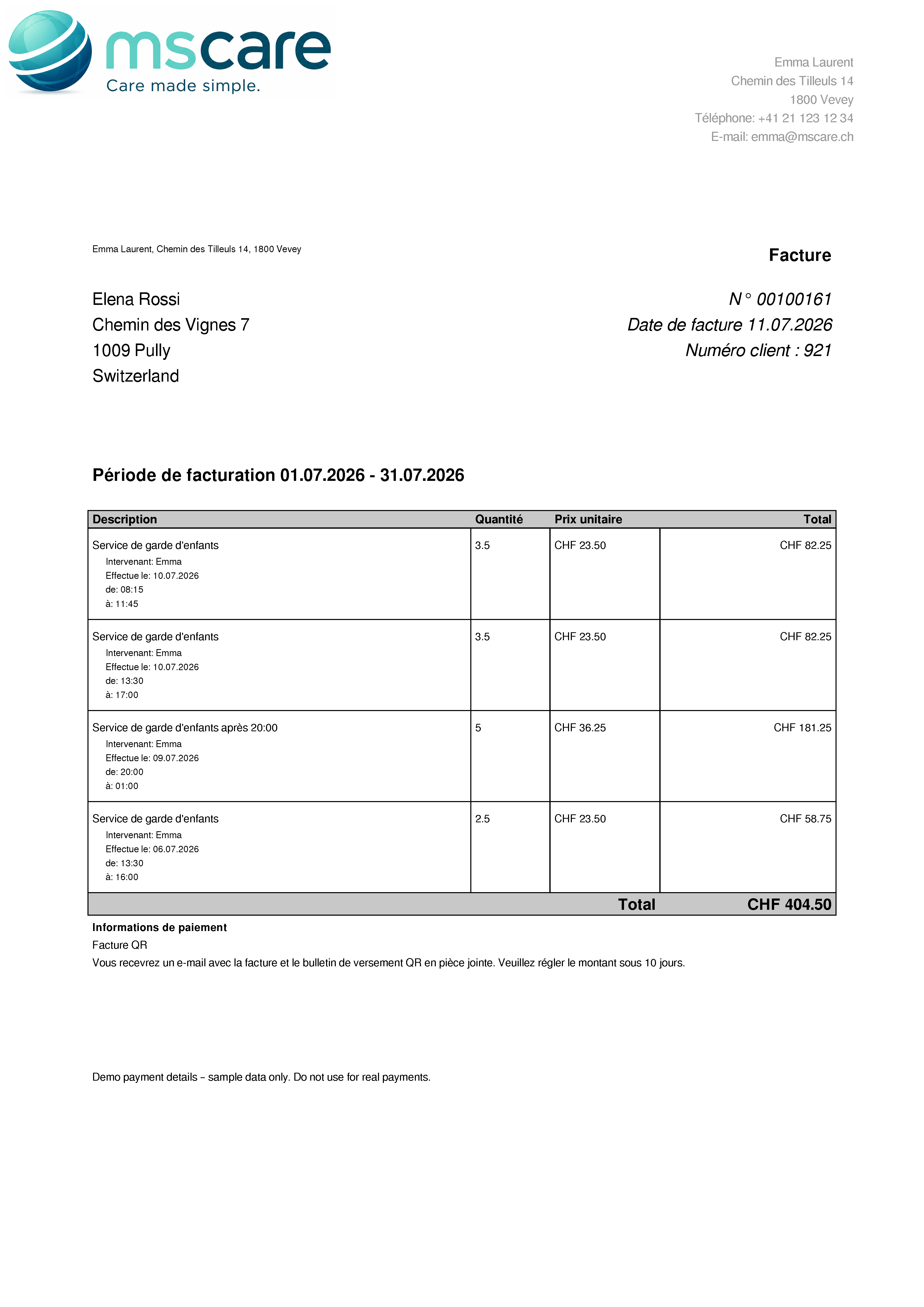
Detailed Invoice
The detailed invoice provides a complete breakdown of all services included in the billing period. Every assignment is listed separately with its date, working times, duration, hourly rate and corresponding amount.
This transparent presentation allows the family to verify exactly how the final invoice total was calculated.
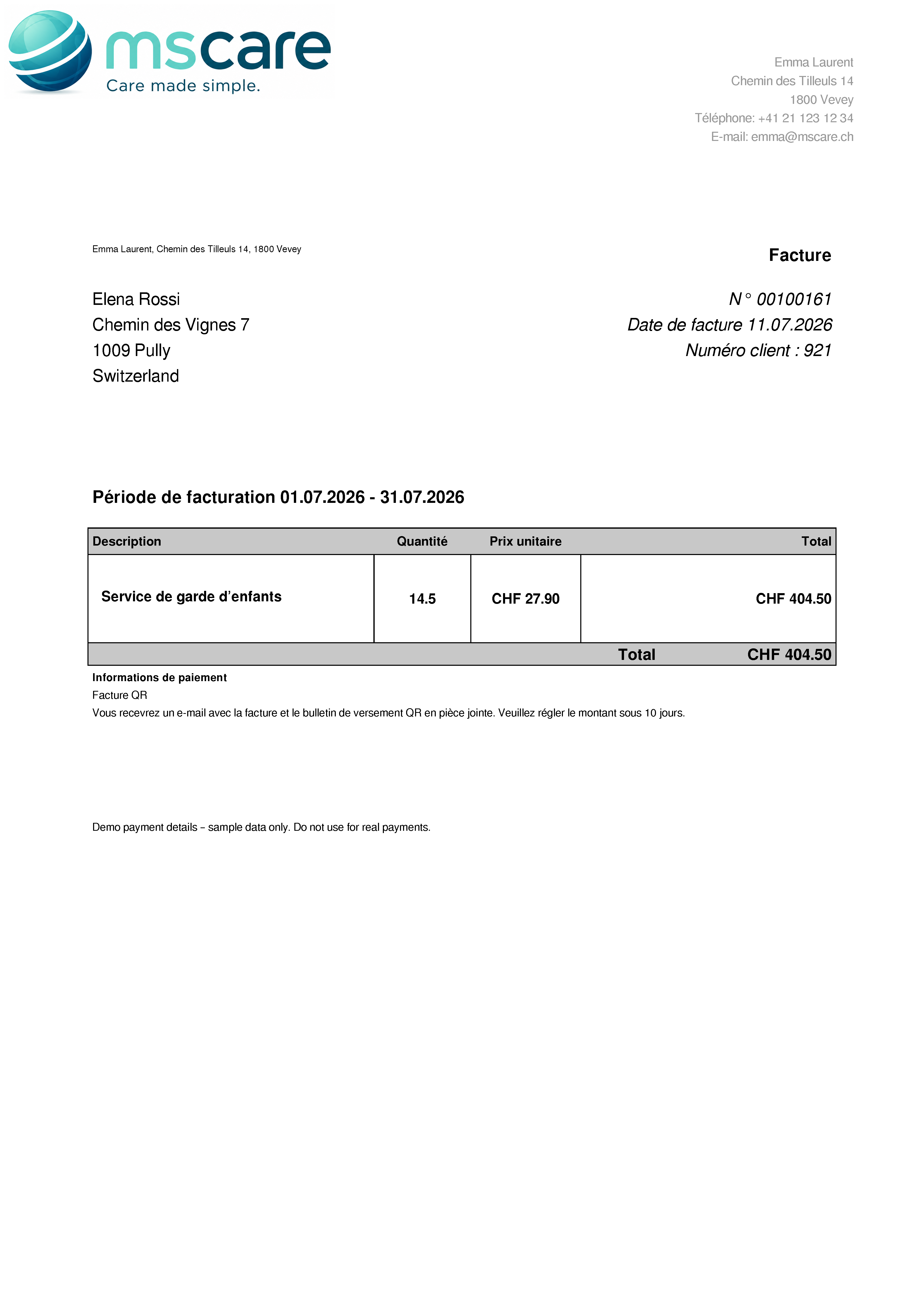
Invoice Summary
The invoice summary presents the billing period in a compact format, showing the combined service description, total number of hours and final amount.
It provides a convenient overview for families who do not require the complete list of individual assignments.
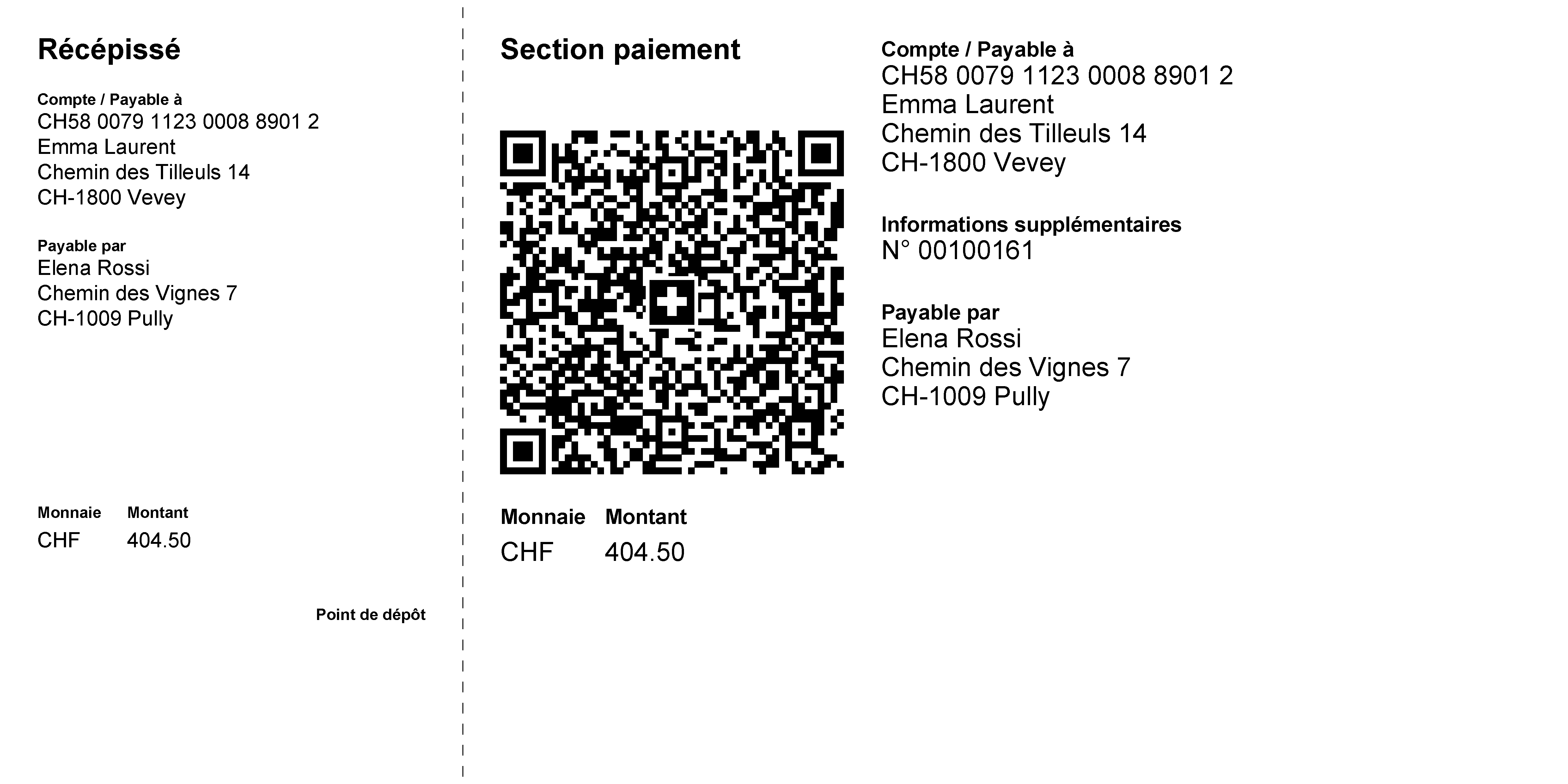
Pay with a Swiss QR Bill
For invoices in Switzerland, a ready-to-use QR payment slip can be provided together with the invoice documents. The payment amount, recipient, payer and invoice reference are already included.
The QR code can be scanned with a banking application, making payment faster and reducing the risk of manual entry errors.
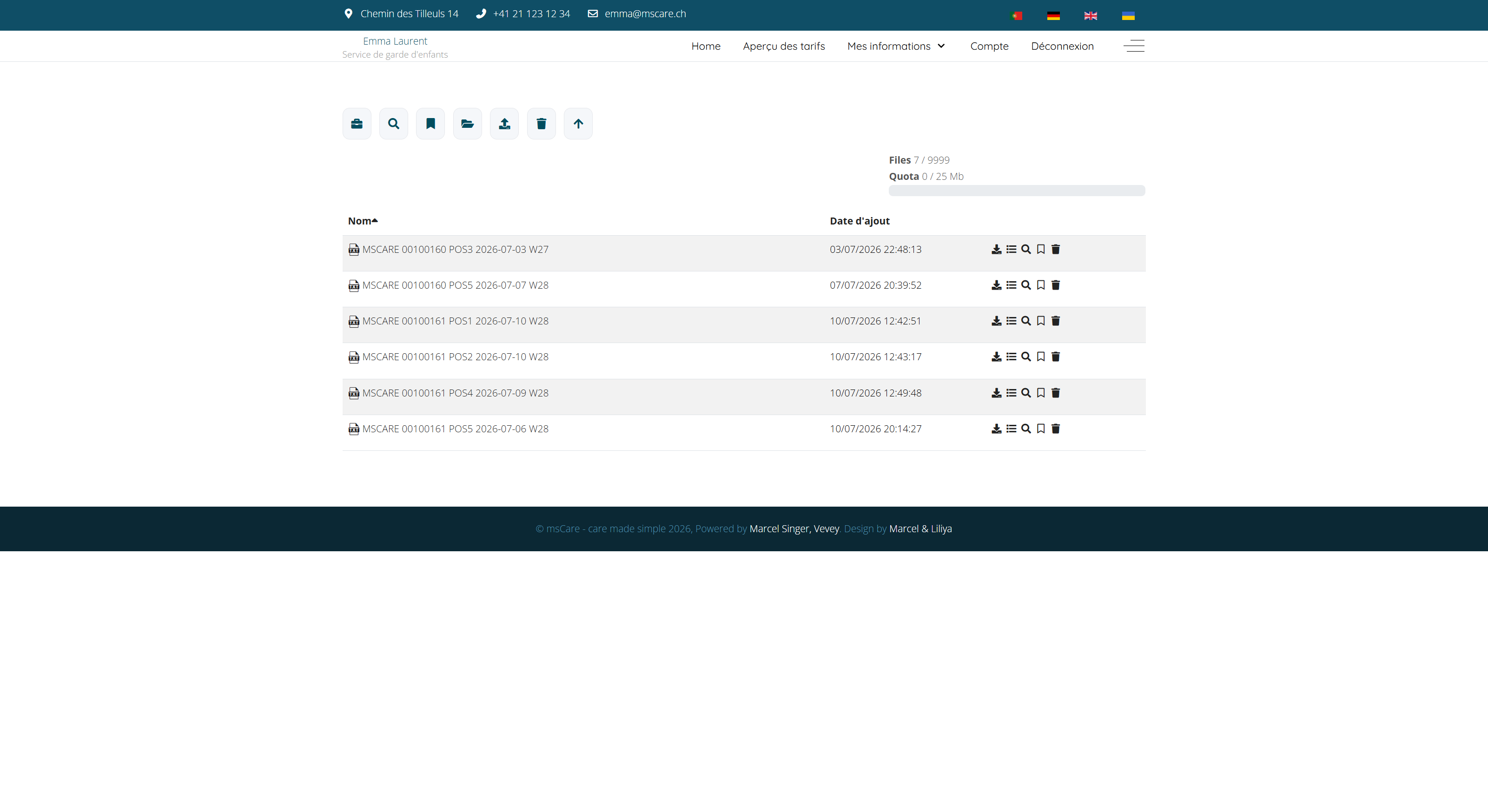
Access Receipts and Documents
Find assignment-related receipts and other documents in one secure document area. Files are clearly identified and can be viewed or downloaded whenever they are needed.
This gives families permanent access to supporting documents without searching through previous emails or requesting another copy from the babysitter.